
Cloud security is the discipline of protecting cloud-based infrastructure, applications, identities, and data from unauthorized access, misconfiguration, and exploitation. In practice, cloud security focuses less on perimeter defense and more on identity control, configuration correctness, workload isolation, and continuous visibility, because most real-world cloud breaches stem from exposed services, excessive permissions, or insecure defaults rather than zero-day exploits.
Tags: cloud security, cloud security best practices, cloud security architecture, cloud misconfiguration, cloud threat detection, cloud attack surface
What Cloud Security Really Means in 2026
Cloud security is no longer about “securing servers in someone else’s data center.” Modern cloud environments are:
- Ephemeral and API-driven
- Identity-centric rather than network-centric
- Shared-responsibility by design
- Constantly changing via CI/CD and automation
As a result, cloud security primarily answers four questions:
- What assets exist right now?
- Who or what can access them?
- Are configurations exposing unintended attack paths?
- Can we detect and verify abuse fast enough?
Most cloud incidents fail at one of these layers—not because encryption was weak, but because visibility or control was missing.
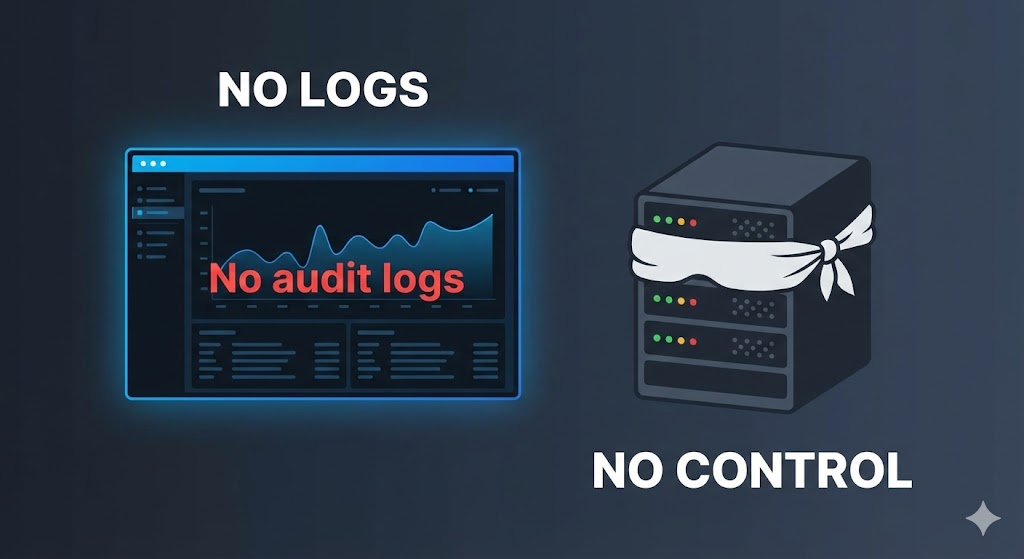
Shared Responsibility Model: Where Cloud Security Actually Breaks
A foundational concept in cloud security is the shared responsibility model:
| Layer | Cloud Provider | Customer |
|---|---|---|
| Physical data centers | ✔ | ✘ |
| Underlying hardware | ✔ | ✘ |
| Cloud platform availability | ✔ | ✘ |
| OS configuration | ✘ | ✔ |
| IAM, network rules, storage permissions | ✘ | ✔ |
| Application logic & secrets | ✘ | ✔ |
Most high-impact breaches occur entirely within the customer’s responsibility zone—especially IAM and configuration.
Core Pillars of Cloud Security Architecture
Identity and Access Management (IAM)
IAM is the primary security boundary in the cloud. Excessive permissions, long-lived credentials, and lack of conditional access are consistently exploited.
Key principles:
- Least privilege by default
- Short-lived credentials
- Explicit deny rules
- Continuous permission review
Network Exposure and Service Configuration
Cloud networking is deceptively simple. One misconfigured rule can expose an entire service globally.
Common risks:
- Publicly exposed admin interfaces
- Overly permissive security groups
- Services bound to
0.0.0.0/0without authentication
Data Protection and Storage Security
Cloud storage breaches often involve:
- Public object storage
- Cross-account access misconfiguration
- Missing encryption enforcement
Data exposure is usually silent—no malware required.
Workload and Container Security
Containers and managed runtimes shift risk:
- Image supply chain issues
- Insecure runtime permissions
- Escaping workload boundaries
Security must cover both build-time and runtime.
Attack Example 1: Discovering Publicly Exposed Cloud Services
Many cloud attacks begin with simple reconnaissance, not exploitation.
bash
#Identify publicly exposed servicesnmap -Pn -p 22,80,443,3000,8080 target-cloud-ip
This verifies:
- Whether services are internet-facing
- Which ports are reachable
- Which services deserve deeper inspection
Why this matters: If a service is reachable from the internet, assume it will be probed.
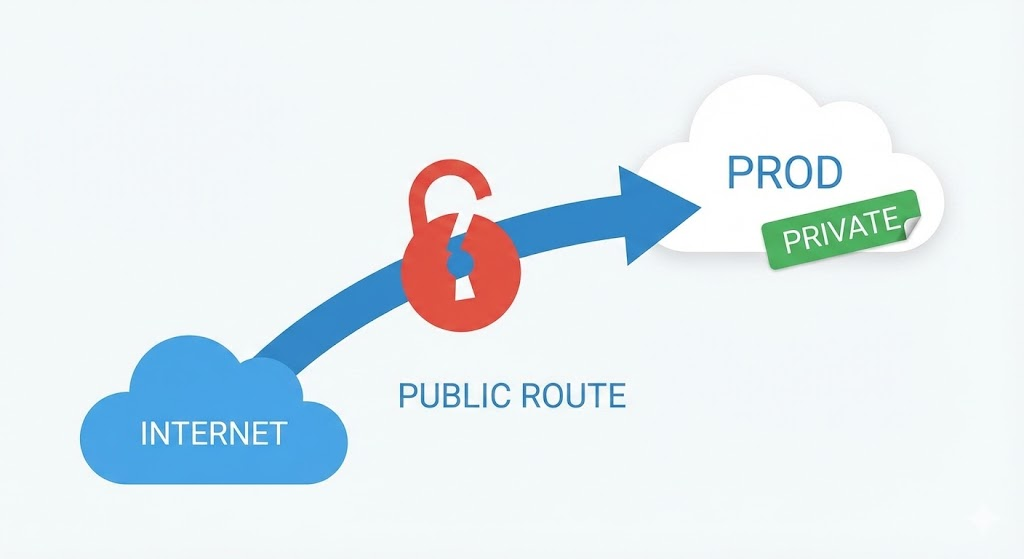
Defense Example 1: Restrict Network Access by Default
A secure baseline:
- No public exposure unless required
- IP allowlists for admin access
- Private endpoints for internal services
Engineers should be able to answer:
“Why is this service publicly reachable?”
If the answer is unclear, the exposure is likely unjustified.
Attack Example 2: Abusing Over-Permissive Cloud IAM Credentials
Over-privileged identities are one of the most common cloud attack paths.
bash
#Example: enumerate permissions for a compromised identitycloud-cli iam list-attached-policies --identity compromised-user
Attackers do not need exploits if credentials allow:
- Storage access
- Key management
- Snapshot creation
- Service impersonation
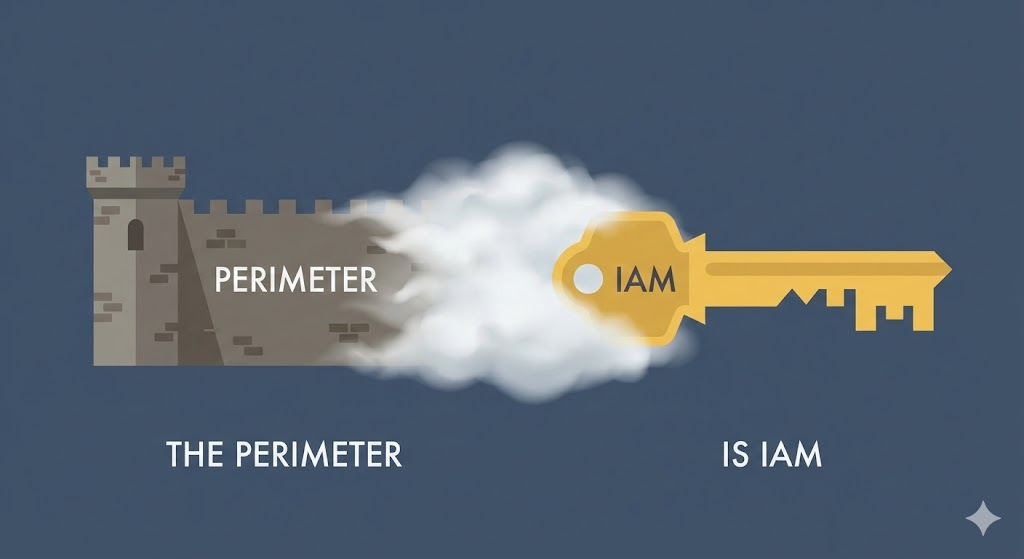
Defense Example 2: Detect Excessive Privileges Automatically
A practical defensive check:
python
def excessive_permissions(policies):
risky = ["*", "Administrator", "FullAccess"]
return any(risk in policy for policy in policies)
if excessive_permissions(attached_policies):
alert("Excessive cloud IAM permissions detected")
This mirrors how mature cloud security platforms flag privilege creep.
Cloud Misconfiguration: The #1 Root Cause of Incidents
Most real-world cloud breaches involve misconfiguration, not malware.
Common examples:
- Public storage buckets
- Disabled logging
- Hardcoded secrets in CI/CD
- Overly permissive trust relationships
Misconfigurations are dangerous because:
- They persist quietly
- They scale automatically
- They bypass traditional security tooling
Attack Example 3: Identifying Exposed Object Storage
bash
#Check if cloud storage endpoint allows anonymous accesscurl -I <https://storage-provider.example.com/bucket-name>
A 200 OK without authentication is a serious red flag.
Defense Example 3: Enforce Secure Storage Defaults
Secure environments enforce:
- Private access by default
- Explicit access grants
- Logging for all access events
Security teams should treat storage exposure as data breach risk, not a low-severity issue.
Runtime Threat Detection in the Cloud
Cloud-native threats often appear as:
- Unexpected outbound connections
- New identities created without approval
- Privileged API calls outside business hours
Attack Example 4: Detecting Suspicious Outbound Traffic
bash
#Monitor active outbound connections from workloadsnetstat -an | grep ESTABLISHED
Unexpected destinations deserve investigation.
Defense Example 4: Baseline Cloud Workload Behavior
Effective cloud security tools baseline:
- Normal API usage
- Expected network destinations
- Typical identity behavior
Deviations—not signatures—trigger alerts.
Automating Cloud Security Checks
Cloud security cannot be manual. Automation is essential.
python
def check_public_services(services):
return [s for s in services if s.public and not s.justified]
exposed = check_public_services(cloud_services)
if exposed:
alert(f"Unjustified public exposure: {exposed}")
This logic underpins modern cloud security posture management.
Where Automated Penetration Testing Fits Cloud Security
Cloud security tools identify what might be risky. Automated penetration testing helps verify what is actually exploitable.
Platforms like Penligent focus on:
- Guided attack validation
- Evidence-driven reporting
- Automation across recon → execution → reporting
In cloud environments, this is especially useful for:
- Verifying exposed services
- Testing IAM abuse paths
- Reducing false positives
Used correctly, automation strengthens—not replaces—cloud security programs.
Cloud Security Best Practices for 2026
- Treat IAM as the primary perimeter
- Assume misconfiguration will happen
- Enforce secure defaults everywhere
- Monitor behavior, not just assets
- Validate exposure, don’t just list it
Cloud security maturity is measured by time to detection and containment, not the number of tools deployed.
Conclusion
Cloud security is ultimately about control and visibility in dynamic systems. The most secure cloud environments are not those with the most tools, but those where engineers understand what exists, who can access it, and how misuse would look in practice. By combining sound architecture, continuous monitoring, and verification-driven testing, cloud security becomes an engineering discipline—not a checkbox exercise.

 English
  German
  French
  Spanish
  Portuguese
  Japanese
  Korean
  Hindi
Hindi  Arabic
  Turkish
  Hebrew